CRM Alert
Connect Pipedrive (2 steps)
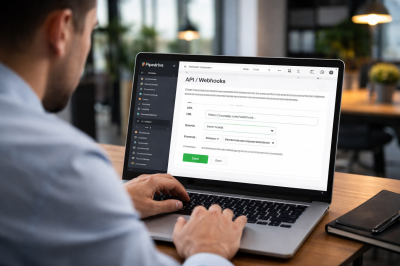
Step 1: Create webhook in Pipedrive
Send your deals data to us
My Account → Tools and apps → Webhooks → Add → Paste URL → Select events "deal.change" → Save
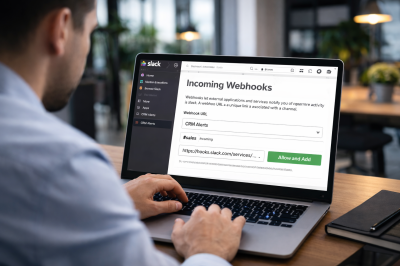
Step 2: Create webhook in Slack
Receive alerts in your Slack
Create New App → From scratch → Incoming Webhooks → Add New Webhook → Copy URL